

- 2025-12-26
- posted by Aung Nyi Thit
- System
GitHub Actions: Automate Your Workflow from Idea to Production
In the fast-paced world of software development, efficiency is everything. Waiting for manual tests to finish or tediously deploying code after every commit is a relic of the past.
GitHub Actions: the powerful, flexible automation engine baked right into your GitHub repository. Whether you are a solo developer or part of a large enterprise, understanding how to leverage this tool is key to modern DevOps.
The Essentials of Automation: CI and CD
Before diving into the configuration, it is essential to understand the two main concepts GitHub Actions helps you achieve.
Continuous Integration (CI)
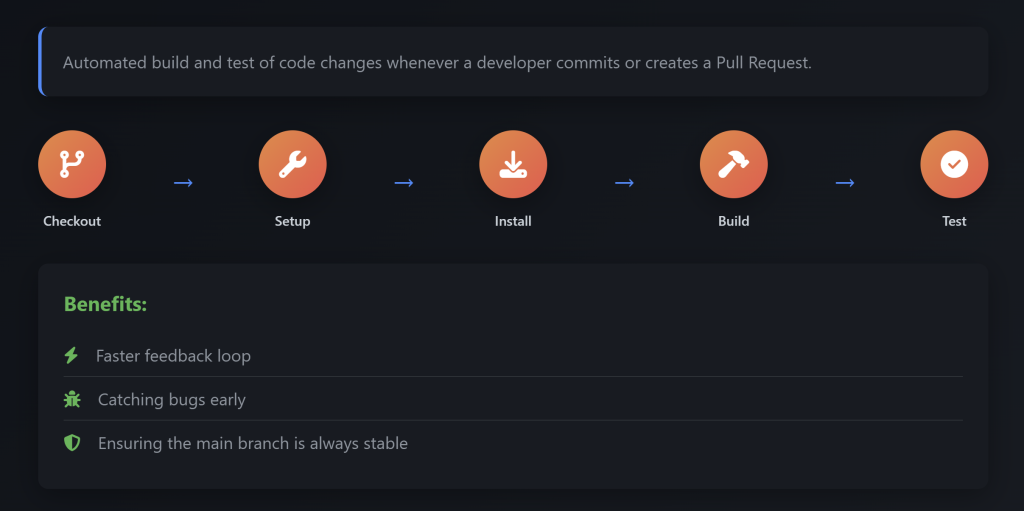
CI is the practice of automating the build and test of code changes whenever a developer commits or creates a Pull Request.
- The Process: It typically involves checking out code, setting up the environment, installing dependencies, building the project, and running tests.
- The Benefits: This creates a faster feedback loop, catches bugs early, and ensures your main branch remains stable.
Continuous Delivery (CD)
CD takes over where CI leaves off. It is the process of automatically deploying validated code to a staging or production environment.
- The Process: This involves handling artifacts, managing secrets (keys/passwords), and executing the deployment to servers.
- The Benefits: CD results in a faster time to market, consistent releases, and significantly reduced human error.

The Architecture of GitHub Actions
To effectively use GitHub Actions, you need to know how it is structured. Here are the five core components that make up the system.
1. Workflows
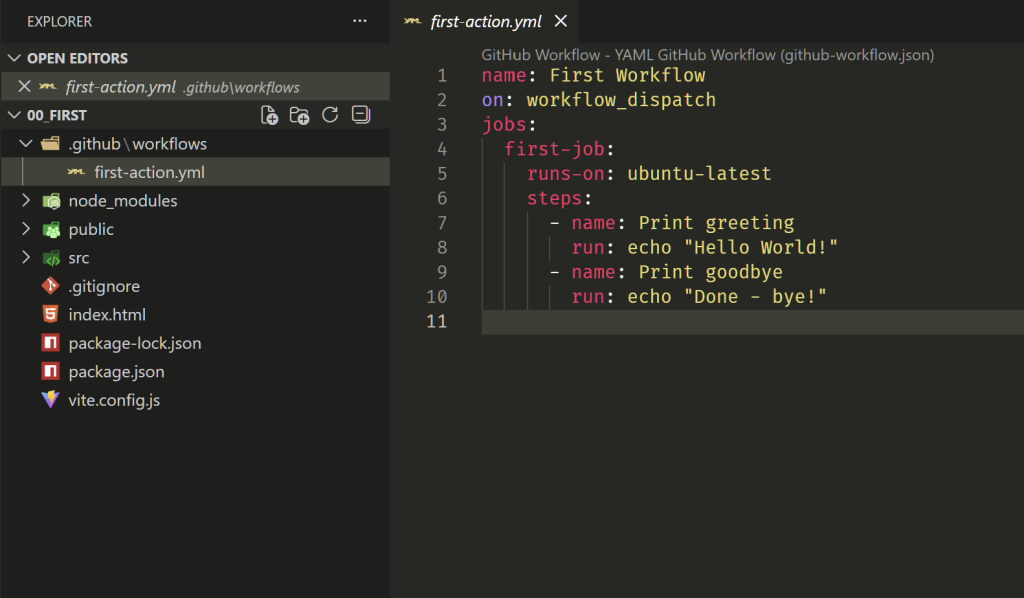
The workflow is the complete automated process (e.g., your full CI/CD pipeline). It is defined in a YAML file located in the .github/workflows directory of your repository. Think of this as the master plan.
2. Events
An event is the specific activity that triggers a workflow run. You can configure your workflow to run on:
- Push: When code is pushed to a specific branch.
- Pull Request: When a PR is opened or updated.
- Schedule: Using cron syntax to run workflows at specific times.
3. Jobs
A job is a set of sequential steps that execute on the same runner.
- Parallel Execution: By default, if you have multiple jobs, they run in parallel to save time.
- Dependencies: You can configure jobs to run sequentially using the
needskeyword (e.g., don't run the "Deploy" job until the "Build" job passes).
4. Actions
Actions are the atomic building blocks of your workflow. An Action is a single, reusable task within a step.
- Marketplace: You don't have to reinvent the wheel; you can use pre-built actions from the community (like
actions/checkout@v4). - Custom: You can also write your own custom actions for specific needs.
5. Runners
The runner is the server that actually executes the jobs in your workflow.
- GitHub-hosted: Virtual machines managed by GitHub (easiest to set up).
- Self-hosted: Your own machine or infrastructure (offers more control and persistence).
Visualizing the Flow
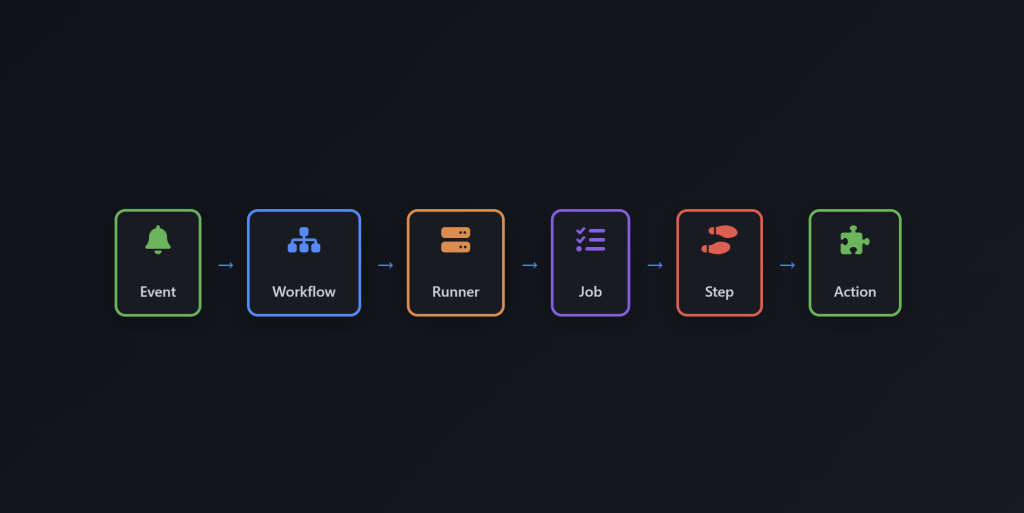
When you put it all together, the execution flow looks like this:
Event -> $ Workflow -> Runner ->Job -> Step -> Action
- An Event triggers the process.
- The Workflow file is read.
- A Runner is allocated.
- The Job begins execution.
- Each Step runs sequentially.
- Specific Actions perform the logic.
Caching Dependencies
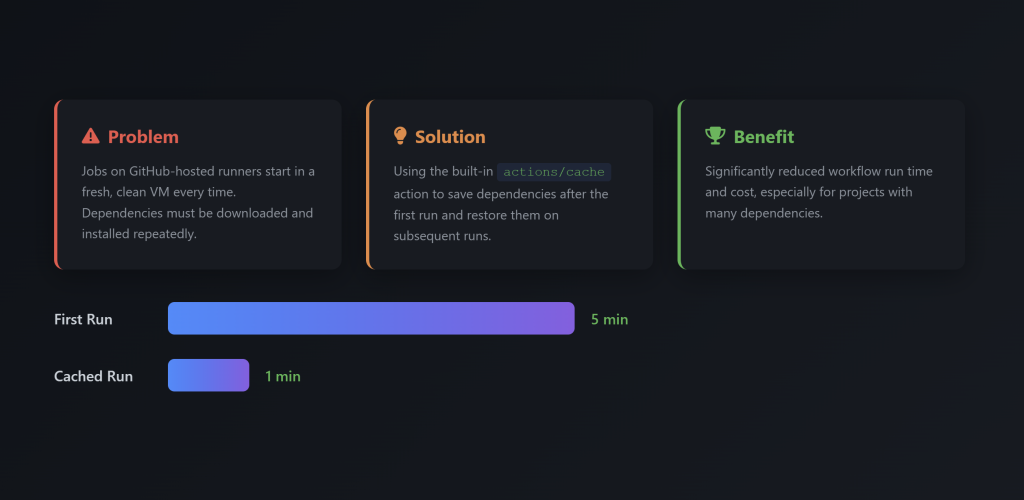
One common challenge with GitHub-hosted runners is that they start as fresh Virtual Machines every time, meaning dependencies must be re-downloaded for every run.
To solve this, use the actions/cache action. This saves your dependencies after the first run and restores them on subsequent runs, significantly reducing your workflow run time and cost.
GitHub Actions transforms your repository from a simple code storage space into a powerful manufacturing plant for software. By understanding these core concepts, you can stop worrying about manual deployments and focus on what matters most: writing great code.
Ref: