


- 2026-01-09
- posted by Thuta Yar Moe
- System
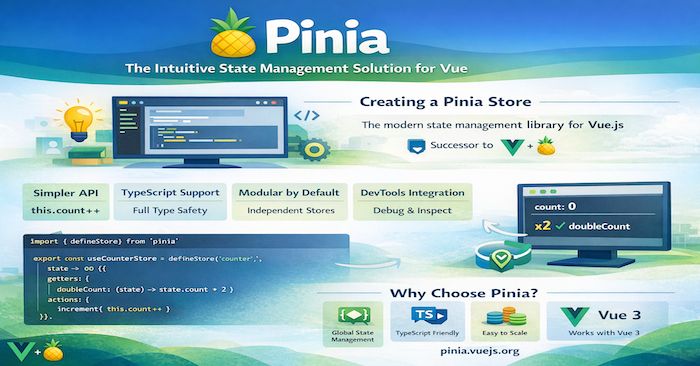
Pinia: The Intuitive State Management Solution for Vue.js
State management is a crucial aspect of modern web applications, especially as they grow in complexity. If you're working with Vue.js, you've likely heard of Pinia—the official state management library that has become the recommended successor to Vuex. In this blog post, we'll explore what makes Pinia special, why you should consider using it, and how to get started.
What is Pinia?
Pinia is a lightweight, intuitive state management library for Vue.js applications. Originally developed as an experiment to explore what a next-generation Vuex could look like, it has now become the officially recommended state management solution for Vue 3 (and also supports Vue 2).
The name "Pinia" (pronounced /piːnjʌ/) comes from the Spanish word for pineapple, which is the closest fruit to the Vue logo—a playful nod to the Vue ecosystem.
Why Choose Pinia?
1. **Simpler API and Less Boilerplate**
Unlike Vuex, Pinia eliminates mutations entirely. You can modify state directly within actions, making your code more straightforward and reducing boilerplate:
// Pinia store
export const useCounterStore = defineStore('counter', {
  state: () => ({ count: 0 }),
  actions: {
    increment() {
      this.count++ // Direct state mutation in actions
    }
  }
})
2. **TypeScript Support Out of the Box**
Pinia was built with TypeScript in mind. It provides excellent type inference without requiring complex type definitions:
export const useUserStore = defineStore('user', {
  state: () => ({
    name: '',
    age: 0
  }),
  getters: {
    // TypeScript automatically infers types
    isAdult: (state) => state.age >= 18
  }
})
3. **Modular by Design**
Every store in Pinia is modular by default. There's no need for nested modules like in Vuex. Each store is independent and can be imported where needed:
import { useUserStore } from '@/stores/user'
import { useCartStore } from '@/stores/cart'

const userStore = useUserStore()
const cartStore = useCartStore()
4. **Composition API and Options API Support**
Pinia works seamlessly with both Vue's Composition API and Options API, giving you flexibility in how you structure your components:
5. **Lightweight**
Pinia is incredibly lightweight at around 1KB (gzipped). This minimal footprint ensures your application stays fast without sacrificing functionality.
6. **DevTools Integration**
Pinia integrates seamlessly with Vue DevTools, providing time-travel debugging, state inspection, and action tracking—essential tools for debugging complex applications.
Getting Started with Pinia
Installation
Install Pinia using your preferred package manager:
npm install pinia
# or
yarn add pinia
# or
pnpm add pinia
Setting Up Pinia
In your main application file, create and install the Pinia instance:
// main.js
import { createApp } from 'vue'
import { createPinia } from 'pinia'
import App from './App.vue'

const pinia = createPinia()
const app = createApp(App)

app.use(pinia)
app.mount('#app')
Creating Your First Store
Create a store using the `defineStore` function:
// stores/counter.js
import { defineStore } from 'pinia'

export const useCounterStore = defineStore('counter', {
  state: () => ({
    count: 0,
    name: 'Counter'
  }),

  getters: {
    doubleCount: (state) => state.count * 2,
    doubleCountPlusOne() {
      return this.doubleCount + 1
    }
  },

  actions: {
    increment() {
      this.count++
    },
    async fetchData() {
      const response = await fetch('https://api.example.com/data')
      const data = await response.json()
      this.count = data.count
    }
  }
})
Using the Store in Components
Access your store in any component:
<template>
  <div>
    <p>Count: {{ counter.count }}</p>
    <p>Double Count: {{ counter.doubleCount }}</p>
    <button @click="counter.increment()">Increment</button>
  </div>
</template>

<script setup>
import { useCounterStore } from '@/stores/counter'

const counter = useCounterStore()
</script>
Advanced Features
Setup Stores (Composition API Style)
Pinia also supports a setup-style syntax that feels more natural if you're using the Composition API:
import { ref, computed } from 'vue'
import { defineStore } from 'pinia'

export const useCounterStore = defineStore('counter', () => {
  const count = ref(0)
  const name = ref('Counter')

  const doubleCount = computed(() => count.value * 2)

  function increment() {
    count.value++
  }

  return { count, name, doubleCount, increment }
})
Store Composition
Stores can use other stores, enabling powerful composition patterns:
import { defineStore } from 'pinia'
import { useUserStore } from './user'

export const useCartStore = defineStore('cart', {
  state: () => ({
    items: []
  }),
  actions: {
    async checkout() {
      const userStore = useUserStore()
      if (!userStore.isLoggedIn) {
        throw new Error('User must be logged in')
      }
      // Proceed with checkout
    }
  }
})
Plugins
Extend Pinia's functionality with plugins for features like persistence, logging, or sync:
function myPiniaPlugin(context) {
  context.store.$subscribe((mutation) => {
    console.log(`[${mutation.storeId}]: ${mutation.type}`)
  })
}

const pinia = createPinia()
pinia.use(myPiniaPlugin)
State Persistence Example
One common requirement is persisting state to localStorage. Here's a simple implementation:
import { defineStore } from 'pinia'

export const useSettingsStore = defineStore('settings', {
  state: () => ({
    theme: 'light',
    language: 'en'
  }),
  actions: {
    loadFromStorage() {
      const saved = localStorage.getItem('settings')
      if (saved) {
        this.$patch(JSON.parse(saved))
      }
    },
    saveToStorage() {
      localStorage.setItem('settings', JSON.stringify(this.$state))
    }
  }
})

Or use the popular `pinia-plugin-persistedstate` plugin for automatic persistence.
Testing Pinia Stores
Pinia stores are easy to test since they're just functions:
import { setActivePinia, createPinia } from 'pinia'
import { useCounterStore } from '@/stores/counter'
import { describe, it, expect, beforeEach } from 'vitest'

describe('Counter Store', () => {
  beforeEach(() => {
    setActivePinia(createPinia())
  })

  it('increments count', () => {
    const counter = useCounterStore()
    expect(counter.count).toBe(0)
    counter.increment()
    expect(counter.count).toBe(1)
  })

  it('computes double count correctly', () => {
    const counter = useCounterStore()
    counter.count = 5
    expect(counter.doubleCount).toBe(10)
  })
})
Conclusion
Pinia represents a significant improvement in state management for Vue.js applications. Its intuitive API, excellent TypeScript support, and minimal boilerplate make it a joy to work with. Whether you're building a new application or considering migrating from Vuex, Pinia offers a modern, efficient solution that scales with your needs.
Key takeaways:
✅ Simpler API with less boilerplate than Vuex
✅ First-class TypeScript support
✅ Modular architecture by default
✅ Lightweight (~1KB) with powerful features
✅ Excellent DevTools integration
✅ Works with both Composition and Options API
Ready to get started? Check out the [official Pinia documentation] and start building better state management into your Vue applications today!