

- 2026-09-04
- posted by Thuta Yar Moe
- System
Laravel Reverb: realtime WebSockets without the SaaS bill
Most of what we build with Laravel fits comfortably inside one shape: the browser asks, the server answers, the connection closes. Load a page. Save a record. Fetch some JSON. HTTP was designed for exactly this, and it's very good at it.
Then a product manager asks for a chat box.
Suddenly the server knows something the client never asked about. A message arrived. A job finished. Someone joined the room. There is no open request to answer, and refreshing the page is not a feature.
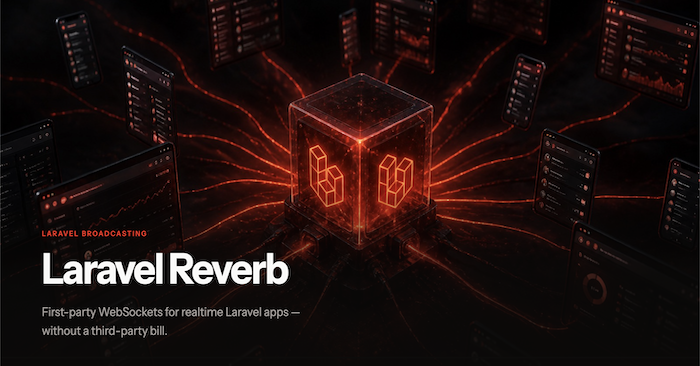
This post walks through how Laravel solves that today — with **Reverb**, its own first-party WebSocket server — and includes a small demo app with public, private, and presence channels wired end to end.
What "realtime" actually means
Realtime isn't "fast." It's *directional*. The server can initiate.
- A chat message appears in every open browser the moment it's sent.
- A notification lands only on one user's tab.
- You can see who is currently in the room.
- An announcement fans out to every visitor at once.
Before WebSockets, we faked this three ways, and each has a tell:
| Approach | Direction | Latency | Cost |
| Short polling | Client → server | Interval delay | Mostly empty requests |
| Long polling | Client → server (held) | Low | Holds a connection *and* a worker |
| Server-Sent Events | Server → client | Low | Light, but one-way |
| **WebSockets** | **Both ways, persistent** | **Near instant** | **One connection, then tiny frames** |
Polling every three seconds means a hundred users generate two thousand requests a minute to tell you nothing happened. SSE fixes the wasted requests but only flows one way, which rules out chat and typing indicators. WebSockets start life as an HTTP request, get a `101 Switching Protocols` back, and then leave a two-way pipe open. Either side can speak at any time.
Laravel's model: you don't touch sockets
The thing that trips people up is expecting to write socket code. You don't. Laravel's broadcasting is an event pipeline:
Event (ShouldBroadcast) → Broadcaster (Reverb/Pusher/Ably) → Channel → Echo (browser)Your PHP dispatches an event. A broadcaster delivers it to a WebSocket server. The browser subscribes with **Laravel Echo**. The application code never manages a connection.
That indirection exists for a very PHP-shaped reason: a typical PHP process is request-scoped. It boots, responds, and dies. It's a terrible place to hold ten thousand open sockets for six hours. So the sockets live somewhere else.
Where Pusher comes in — and why the name is everywhere
For years, "somewhere else" meant [Pusher](https://pusher.com), a hosted WebSocket service. You POST events to their cloud, they fan them out to connected clients, you pay per connection and per message.
But Pusher is two things, and conflating them is what makes the docs confusing:
- **A company** selling hosted realtime infrastructure.
- **A protocol** — named channels, named events, a signed auth handshake for private channels — plus `pusher-js`, the browser library that speaks it.
Laravel Echo has always been a thin wrapper over `pusher-js`. That's the key detail, because it means anything that speaks the Pusher protocol can serve a Laravel frontend without touching the frontend.
Hosted Pusher is genuinely good: zero ops, global edge, TLS handled, mature clients. The catch is the usual one. Your bill scales with concurrent connections, your users' messages traverse someone else's infrastructure, and connection limits become an architectural constraint you didn't choose.
Reverb: the missing piece
Laravel already knew how to broadcast. What it lacked was its own server to broadcast *to*. That's Reverb, shipped with Laravel 11:
**First-party.** Installed with Composer, configured in `.env`, started with Artisan.
**Pusher-protocol compatible.** Your events, channels, Echo code, and `pusher-js` keep working. Switching is mostly env + one config line.
**Self-hosted.** The sockets terminate on your infrastructure. No per-connection invoice, and chat/presence data never leaves your network.**Horizontally scalable.** Multiple Reverb nodes share connection state over Redis.
The trade you're making is explicit: you take on a long-running process to manage, and in return you get cost predictability and data locality. If you already run queue workers, you already run this kind of thing.
| Reverb | Pusher Cloud | |
| Hosting | You run the process | They run it |
| Echo config | `broadcaster: 'reverb'` | `broadcaster: 'pusher'` |
| Cost model | Your compute | Per connection / message |
| Best when | You already operate infra | You want zero realtime ops |
Setting it up
1. Install
php artisan install:broadcasting

# or explicitly

composer require laravel/reverb
php artisan reverb:install
The installer publishes `config/reverb.php`, scaffolds Echo, and writes the env keys.
2. Point broadcasting at Reverb
BROADCAST_CONNECTION=reverb

REVERB_APP_ID=my-app-id
REVERB_APP_KEY=my-app-key
REVERB_APP_SECRET=my-app-secret
REVERB_HOST="localhost"
REVERB_PORT=8080
REVERB_SCHEME=http

VITE_REVERB_APP_KEY="${REVERB_APP_KEY}"
VITE_REVERB_HOST="${REVERB_HOST}"
VITE_REVERB_PORT="${REVERB_PORT}"
VITE_REVERB_SCHEME="${REVERB_SCHEME}"
The `VITE_` duplicates matter: only prefixed variables are exposed to the frontend bundle. Note that the secret is *not* among them — it stays server-side, where it signs channel authorization.
3. Connect Echo
// resources/js/echo.js
import Echo from 'laravel-echo';
import Pusher from 'pusher-js';

window.Pusher = Pusher;

window.Echo = new Echo({
    broadcaster: 'reverb',
    key: import.meta.env.VITE_REVERB_APP_KEY,
    wsHost: import.meta.env.VITE_REVERB_HOST,
    wsPort: import.meta.env.VITE_REVERB_PORT ?? 80,
    wssPort: import.meta.env.VITE_REVERB_PORT ?? 443,
    forceTLS: (import.meta.env.VITE_REVERB_SCHEME ?? 'https') === 'https',
    enabledTransports: ['ws', 'wss'],
});
Yes, you still install `pusher-js` — Reverb speaks that protocol, so that's the client.
4. Broadcast an event
class AnnouncementPublished implements ShouldBroadcastNow
{
    use Dispatchable, InteractsWithSockets, SerializesModels;

    public function __construct(public string $message) {}

    public function broadcastOn(): array
    {
        return [new Channel('announcements')];
    }

    public function broadcastAs(): string
    {
        return 'announcement.published';
    }

    public function broadcastWith(): array
    {
        return [
            'message' => $this->message,
            'published_at' => now()->toIso8601String(),
        ];
    }
}
Three methods worth knowing:
- `broadcastOn()` — which channel(s). `Channel`, `PrivateChannel`, or `PresenceChannel`.
- `broadcastAs()` — a stable event name instead of the fully-qualified class name. Rename the class later without breaking the frontend.
- `broadcastWith()` — the exact payload. Without it, all public properties get serialized, which is how internal fields leak to the browser.
`ShouldBroadcastNow` sends inline during the request. `ShouldBroadcast` queues it. Use `Now` in demos, queue it under real load — otherwise fan-out latency lands inside your HTTP response time.
5. Authorize private and presence channels
/ routes/channels.php
Broadcast::channel('notifications.{userId}', function (User $user, int $userId): bool {
    return $user->id === $userId;
});

Broadcast::channel('chat.{room}', function (User $user, string $room) {
    if ($room !== 'lobby') {
        return false;
    }

    return ['id' => $user->id, 'name' => $user->name];
});
This is the security boundary, and it's easy to misread. When a client subscribes to a private or presence channel, `pusher-js` first POSTs to `/broadcasting/auth` with the channel name and socket id. Laravel runs the matching callback **using your normal session auth**, and only then hands back a signed token the WebSocket server will accept.
The difference between the two callbacks is the return type. A boolean gates a private channel. An **array** turns it into a presence channel: that array becomes the member's public info, visible to everyone else in the room.
6. Listen in the browser
window.Echo.channel('announcements')
    .listen('.announcement.published', (event) => { /* ... */ });

window.Echo.private(`notifications.${userId}`)
    .listen('.notification.sent', (event) => { /* ... */ });

window.Echo.join('chat.lobby')
    .here((users) => { /* who is already here */ })
    .joining((user) => { /* someone arrived */ })
    .leaving((user) => { /* someone left */ })
    .listen('.chat.message', (event) => { /* ... */ });
Two details that cost people an afternoon each:
**The leading dot.** `.listen('.announcement.published')` means "this is the literal event name." Drop the dot and Echo prefixes your app namespace and expects `App\Events\...`. If your listener silently never fires, check the dot first.
**Channel name prefixes.** `Echo.private('notifications.1')` talks to a channel the server sees as `private-notifications.1`, and `Echo.join('chat.lobby')` becomes `presence-chat.lobby`. You write the short name in `channels.php`; the prefix is added by the protocol. This surfaces the moment you write a test:
$this->actingAs($user)->post('/broadcasting/auth', [
    'socket_id' => '1234.5678',
    'channel_name' => 'presence-chat.lobby',
])->assertOk();
That endpoint is testable in isolation, which makes channel authorization one of the few parts of realtime you can cover without booting a WebSocket server at all. Assert that a user can authorize their own private channel, that another user gets a 403, and that guests get nothing.
7. Run the server
php artisan reverb:start

# with Sail
./vendor/bin/sail artisan reverb:start

# whole stack at once
composer run dev
If you're using Sail, remember to publish the port:
ports:
    - '${APP_PORT:-80}:80'
    - '${VITE_PORT:-5173}:${VITE_PORT:-5173}'
    - '${REVERB_PORT:-8080}:8080'
The `X-Socket-ID` header, or: why you hear your own echo
Here's the bug you will write. The user submits a chat message, your JS optimistically appends it to the list, the event broadcasts, and the same browser receives it back — so the message appears twice.
Laravel's answer is `toOthers()`, which excludes the originating connection. For that to work, the server has to know which connection sent the request, so the frontend must forward its socket id on the HTTP call:
Then on the PHP side, `broadcast(new ChatMessageSent(...))->toOthers()` instead of `Event::dispatch`. Send the header even if you aren't using `toOthers()` yet — it costs nothing and it's there when you need it.
A working playground
The demo app pairs three routes with three channel types, which is enough to feel all the differences on one page:
| Channel | Type | Who receives it |
| `announcements` | Public | Every visitor, logged in or not |
| `notifications.{id}` | Private | Only that one user |
| `chat.lobby` | Presence | Members of the room, plus join/leave |
The controller is unremarkable, which is the point:
public function announce(Request $request): JsonResponse
{
    $validated = $request->validate([
        'message' => ['required', 'string', 'max:255'],
    ]);

    AnnouncementPublished::dispatch($validated['message']);

    return response()->json(['ok' => true]);
}
Validate, dispatch, return. Nothing in your HTTP layer knows a WebSocket exists.
The best way to actually *see* the distinction is to open two browsers and log in as two different users. Send an announcement: both see it. Send a notification: only one does. Watch the presence list update as the second browser opens and closes. Presence in particular is hard to appreciate until you watch a name appear in another window.
One caution while you're in there: **the channel name in `broadcastOn()` and the name in `channels.php` must match exactly.** Broadcasting on `new PresenceChannel('chat.robby')` while authorizing and joining `chat.lobby` produces no error anywhere — no exception, no log line, no failed request. The event goes out to a channel nobody is listening on, and the UI simply stays quiet. When realtime "doesn't work," compare those two strings before anything else.
Before you ship it
Reverb in development is one Artisan command. Production asks for five more decisions:
**TLS.** Browsers on an HTTPS page will refuse a `ws://` connection. Terminate SSL at Nginx, Caddy, or your load balancer and proxy through to Reverb, then set `REVERB_SCHEME=https` so Echo dials `wss://`.
**A process manager.** `reverb:start` is a long-running process; if it dies, realtime silently stops while the rest of the app looks perfectly healthy. Supervisor, systemd, or a Forge daemon — same treatment as a queue worker. Restart it on deploy, too, since it holds your code in memory.
**Scaling.** One Reverb node keeps connections in its own memory, so two nodes behind a load balancer can't see each other's subscribers. Turn on Redis scaling:
REVERB_SCALING_ENABLED=trueNodes then publish over a shared Redis channel and every connection gets its event regardless of which node it landed on.
**Queues.** Once traffic is real, switch `ShouldBroadcastNow` to `ShouldBroadcast` so fan-out happens in a worker instead of inside the user's request.
**Allowed origins.** Restrict `config/reverb.php` to your own domains rather than leaving the default wildcard.
**File descriptors.** Every connection is an open socket. The default `ulimit -n` of 1024 will cap you long before your CPU does.
The takeaway
Realtime is the server pushing events the moment they happen, and WebSockets are how you do it without burning requests on polling. Pusher popularized the protocol that Laravel Echo still speaks. Reverb implements that protocol on your own hardware, first-party, with the same PHP API you already know.
The whole path is: install → env → Echo → events → channel auth → `reverb:start`. If you've been putting off the chat feature because the realtime bill looked scary, that excuse is gone.