

- 2026-08-07
- posted by Aung Nyi Thit
- System
Building AI Features: A Simple Story of Embeddings, Vector Search & RAG
Why Normal Search is Not Enough
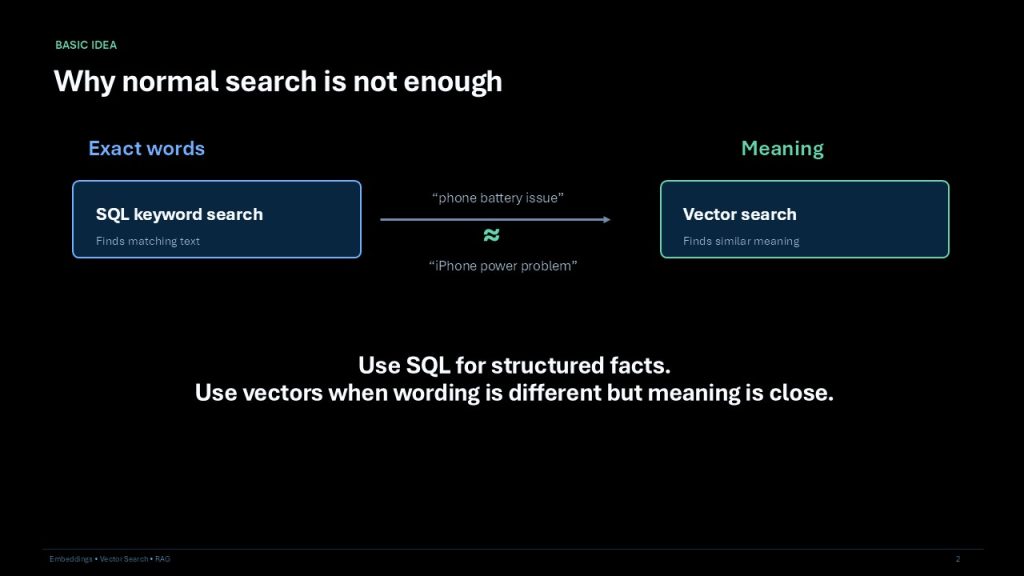
Traditional SQL keyword search relies entirely on finding exact textual matches. For example, a basic search tool might not recognize that a "phone battery issue" means the exact same thing as an "iPhone power problem". Vector search solves this limitation by finding similar meanings rather than just exact words. The general rule of thumb is to use SQL for structured facts, but use vectors when the exact wording is different but the underlying meaning is close.
The Core Concept: Embeddings
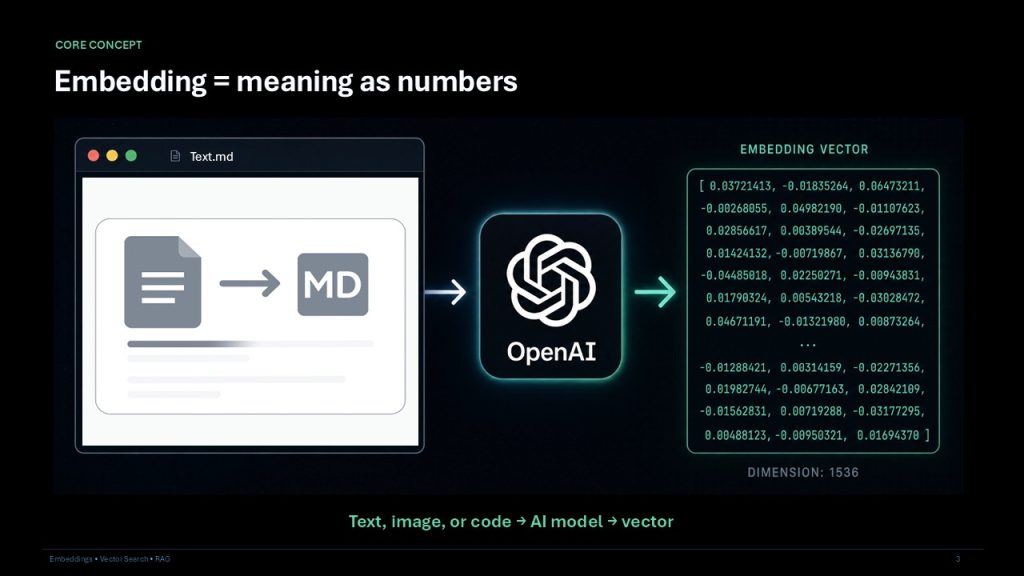
To make meaning searchable, we use embeddings. An embedding simply represents meaning as a set of numbers. Whether you are working with text, images, or code, an AI model translates that input data into a numerical vector.
How Vector Search Works
Once your data is converted into numbers, vector search takes over to find the nearest meaning to a user's query. Instead of matching specific keywords, the system compares the mathematical distance between vectors. Ultimately, the nearest mathematical group wins and is returned as the search result.
Storing Vectors: Vector Databases
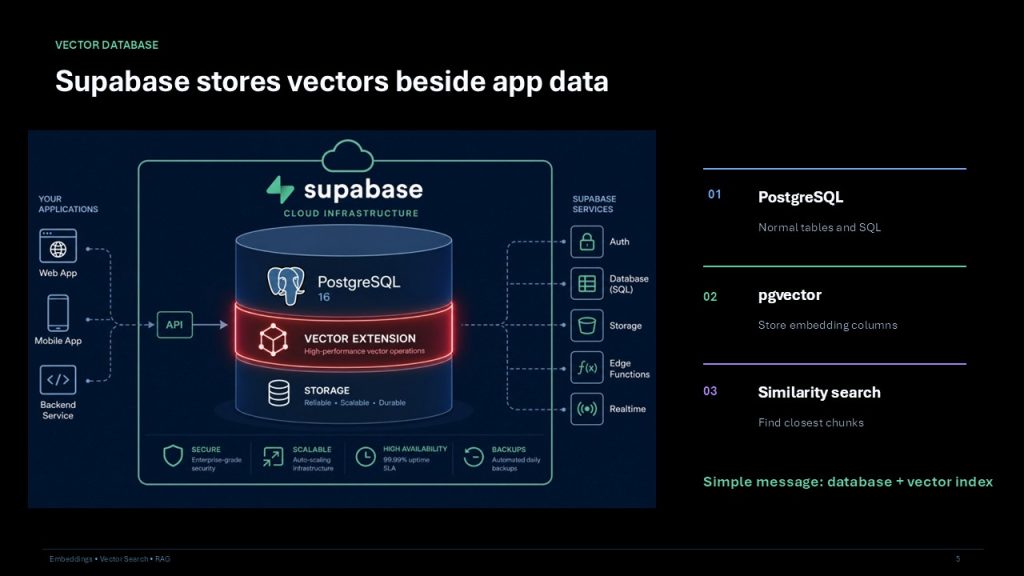
To build these features, you need a place to store these vectors alongside your standard application data. Supabase is a great solution that combines a traditional database with vector storage.
- PostgreSQL handles your normal tables and traditional SQL queries.
- The
pgvectorextension is utilized to safely store embedding columns. - Similarity searches are then run within the database to find the closest chunks of information.
Architecture: Understanding RAG
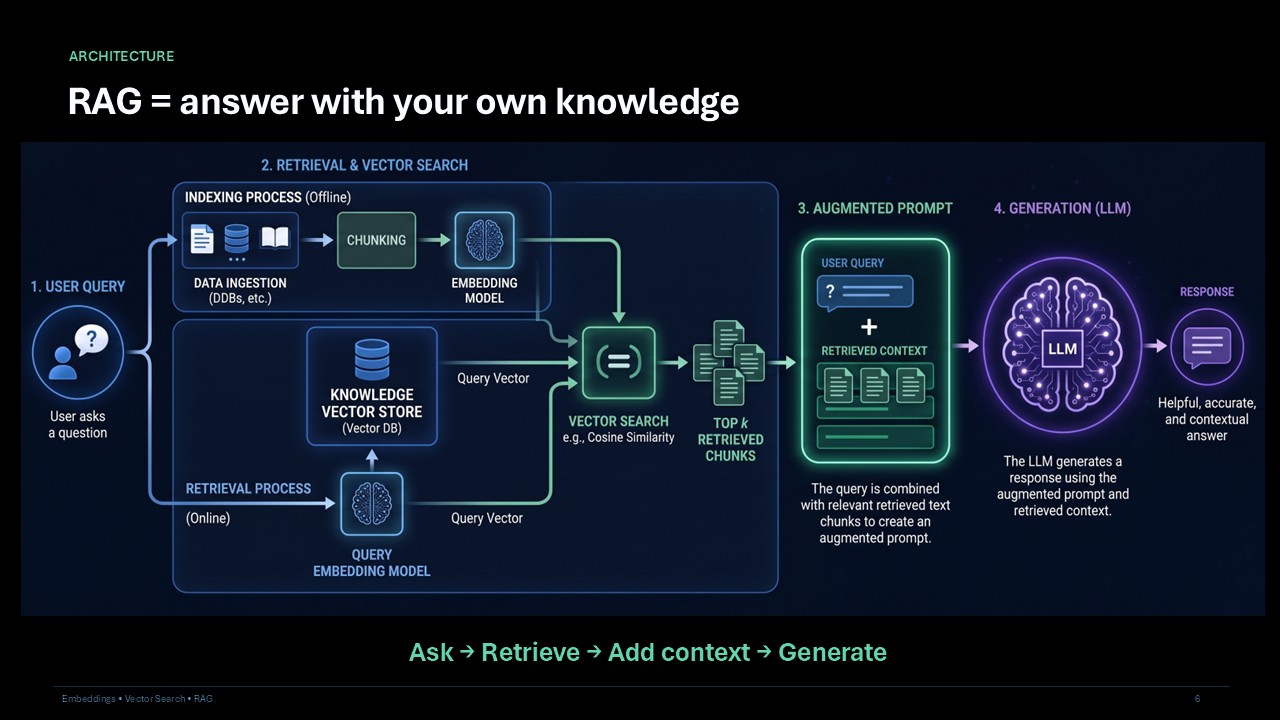
RAG stands for Retrieval-Augmented Generation, and it is the architecture that allows an AI to answer questions using your own specific knowledge base. The general flow is simple: Ask, Retrieve, Add context, and generate.
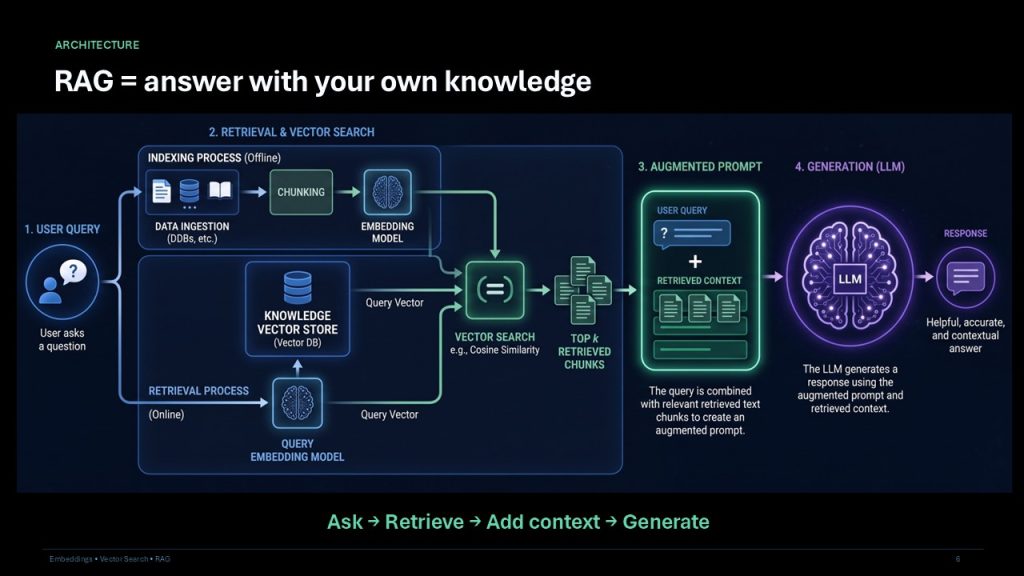
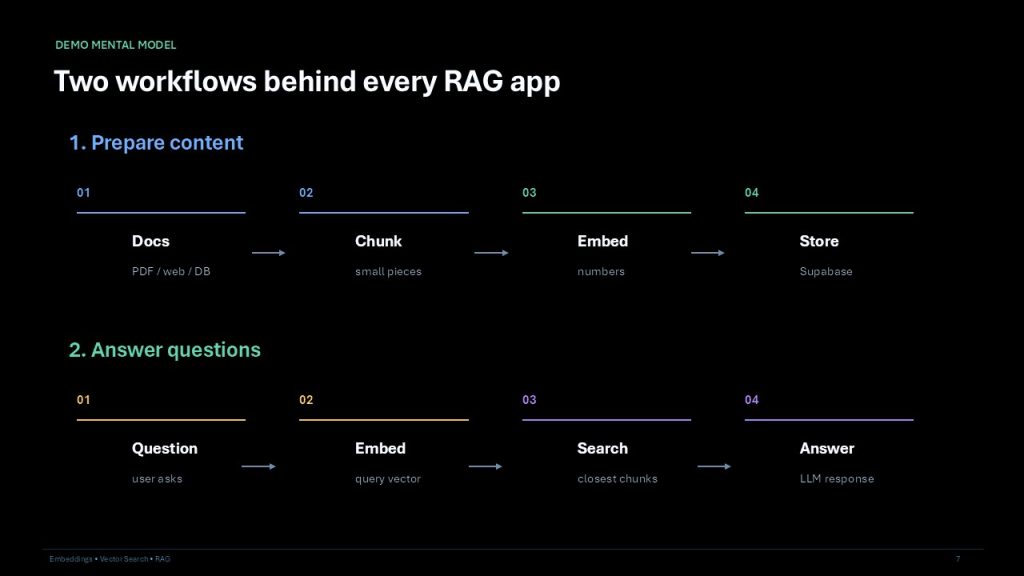
Behind every RAG application, there are two distinct workflows you must build:
Workflow 1: Prepare Content
- Gather your source materials, which could include PDFs, web pages, or database records.
- Break these documents down into smaller pieces, referred to as chunks.
- Embed those chunks, turning the text into numbers.
- Store those numbers in your database, like Supabase.
Workflow 2: Answer Questions
- Capture the question the user asks.
- Embed the user's query into its own query vector.
- Search the database to find the closest matching chunks of context.
- Pass those chunks to the LLM so it can generate an accurate answer.
Implementation and Real-World Use Cases
A standard implementation stack involves four moving parts. You will typically see a Web App to capture user questions, an API service built on something like Laravel or Node, OpenAI to handle the Embedding and LLM generation, and Supabase (Postgres + pgvector) serving as the database.
Once implemented, this architecture unlocks powerful AI features:
- AI FAQ: Generating answers directly from your company's uploaded documents.
- Product Search: Returning meaning-based results rather than just matching product names.
- Support Bots: Quickly finding similar, previously resolved support tickets.
- Internal Knowledge: Allowing employees to securely search private company data.
Conclusion
Building intelligent AI features is fundamentally about teaching your applications to understand context and meaning, rather than just matching exact words. By leveraging embeddings to translate information into numerical vectors and using vector databases like Supabase for similarity search, developers can create highly accurate, context-aware systems. Implementing a Retrieval-Augmented Generation (RAG) architecture ensures that your AI remains grounded in your own trusted data, opening the door to powerful use cases like smarter FAQs, intuitive product searches, and highly efficient support bots.
Ref:
https://developers.openai.com/api/docs/guides/embeddings
https://cloud.google.com/use-cases/retrieval-augmented-generation