

- 2026-10-23
- posted by Aung Nyi Thit
- System
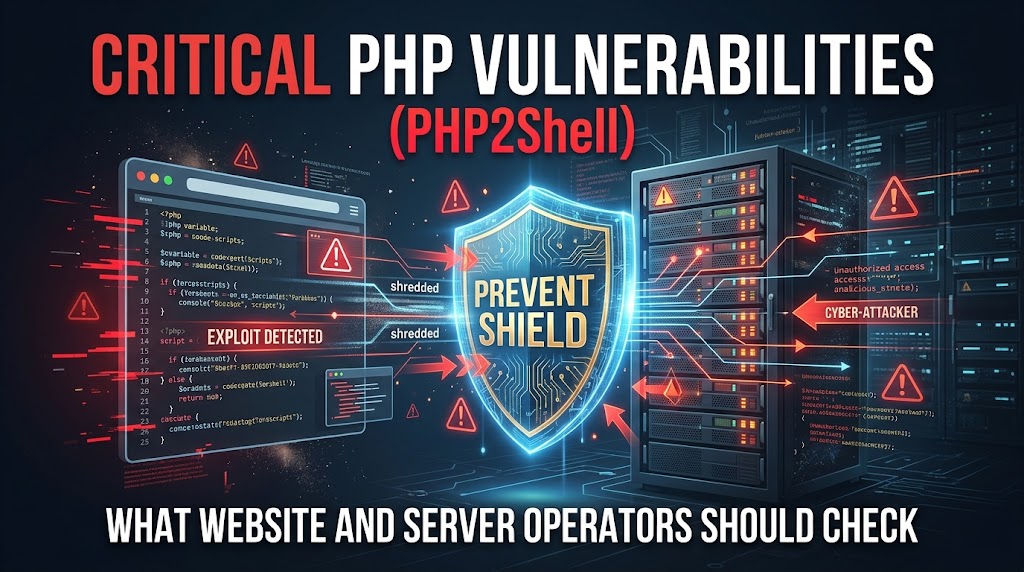
Critical PHP Vulnerabilities (PHP2Shell): What Website and Server Operators Should Check
Critical PHP Vulnerabilities (PHP2Shell): What Website and Server Operators Should Check
On October 21, 2026, the PHP development team released fixes for two critical vulnerabilities in the PHP runtime. Following the release, the U.S. Cybersecurity and Infrastructure Security Agency (CISA) issued an urgent alert urging organizations to apply the patches immediately.
Because PHP powers a large share of the web, from CMS platforms such as WordPress to custom web applications and APIs, this issue affects a very wide range of systems. Anyone responsible for a PHP-based website or backend should confirm which PHP version their servers are running and apply the appropriate update, in coordination with their hosting provider where applicable.
At our company, we worked through the night, temporarily taking client websites offline and restoring them one by one after confirming that the hosting servers had been updated or patched. We restored our own site last, after prioritizing recovery work for our clients.
In this article, we explain the details of these PHP vulnerabilities, what needs to be checked on the server side, how they affect WordPress, and an operational approach known as "static site generation" that can reduce exposure to this kind of risk.
PHP2Shell: The Vulnerabilities and What to Do
The two critical vulnerabilities (CVE-2026-109618 and CVE-2026-109619) announced by the PHP development team are collectively known as "PHP2Shell." The PHP team says the flaws can allow unauthenticated remote code execution (RCE), meaning an attacker could potentially run arbitrary code on an affected server without logging in.
According to Reuters, in the Netherlands, the National Cyber Security Centre's website, the Port of Rotterdam, and the government portal Overheid.nl were taken offline as a precautionary measure. In France, the Ministry of the Interior switched its own websites to precautionary maintenance.
What to Do Now
The PHP team released patched versions (8.5.12, 8.4.27, 8.3.36, and 8.2.35, among others) and strongly recommends that users update. The appropriate patched version depends on your PHP branch and your server or hosting configuration. PHP 8.1 and older are no longer supported by the PHP project. If you are on an older branch, check with your hosting provider or OS vendor for available security fixes and plan an upgrade to a supported version.
Backend Checklist
- Inventory every server running PHP: Production, staging, development, admin panels, and internal tools are all in scope. Staging and internal servers are often forgotten but can be just as exposed.
- Confirm the version actually in use: Servers can have multiple PHP versions installed. Check the version used by the web server (for example, PHP-FPM or the Apache module), not only the command-line version.
- Apply the update and restart services: After updating, restart PHP-FPM or the web server so the patched runtime is loaded, then verify the version again.
- Rebuild container images: If you deploy with Docker or similar tools, update the base image and redeploy. Patching a running container is not enough.
- Check managed hosting status: On shared or managed hosting, PHP is usually updated by the provider. Check their announcements and confirm the patched version is active for your account.
- If you cannot patch right away: Consider temporarily taking the site offline or restricting access until the update is applied.
Impact on WordPress: Not a Vulnerability in WordPress Itself
According to recent data from W3Techs (as of October 2026), WordPress accounts for approximately 39.6% of all websites and about 58.3% of sites whose CMS is known, which makes it one of the largest groups of PHP applications affected by this issue.
We often hear questions from clients about WordPress security, such as "Is WordPress dangerous?" or "Why is its security considered weak?" Common security risks include vulnerabilities in the WordPress core, themes, and plugins, or misconfigurations. Keeping WordPress core, themes, and plugins up to date is an important security measure.
However, this issue is not a vulnerability in WordPress itself but a vulnerability in the PHP runtime that WordPress relies on. Updating the WordPress core and plugins will not solve the problem. The fix has to happen on the backend: the server's PHP runtime must be updated to a patched version. The same applies to any other PHP-based CMS, framework, or custom application.
The "Static Site" Option to Reduce Vulnerability Risks
No web application can eliminate vulnerability risk entirely. Serving static files from a public-facing server can reduce the attack surface by removing PHP execution and direct database access from that server. As one method to reduce exposure, our company proposes converting WordPress into a static site.
We separate the WordPress CMS environment from the public-facing server that serves the static HTML files. Using plugins like "Simply Static," we generate static HTML files and transfer them to the public server for display.
Advantages of a Static Site
Since neither PHP nor a database runs on the public server, you can significantly reduce the risks of PHP execution and direct database attacks against the public site. A PHP runtime vulnerability like PHP2Shell cannot be exploited on a server where PHP is not installed.
Considerations and Disadvantages When Adopting
Static site generation can reduce exposure, but it does not make the entire system risk-free. The following points require caution upon implementation:
- Continued Protection for the CMS is Required: The CMS server still runs PHP and must still be patched. If the CMS environment is compromised, altered files could be transferred to the public server. Access restrictions to the CMS environment (such as IP restrictions or Basic Authentication) and securing the transfer route are essential.
- Extra Steps for Updates: Depending on the setup, publishing updates may require generating static files, checking them, and deploying them.
- Search and Form Features Relying on WordPress PHP Processing Will Not Work As-Is:
- Search Solutions: In addition to Google Custom Search, our company has a track record of implementing incremental search and category filtering on static sites by combining Fuse.js with our proprietary logic.
- Form Solutions: Because WordPress form plugins that rely on PHP will not work as-is, it is necessary to use external tools such as Google Forms or HubSpot.
Conclusion: Preparing Site Operations for the AI Era
OpenAI says its AI model helped identify one of the vulnerabilities, while Wiz independently discovered and reported both. OpenAI expects similar findings to increase sharply in the coming months, which means backend runtimes like PHP may need to be patched more often and more quickly than before.
Organizations need to choose an approach that fits their needs: manage current risks while prioritizing convenience and controlling operating costs, or invest the time and money needed to adopt a static site architecture and reduce the public-facing attack surface. Either way, knowing exactly which PHP versions are running across your servers is the first step.
If you want to use PHP efficiently while strengthening your security measures or would like an assessment of your site and server architecture, please feel free to contact WIT LAB.